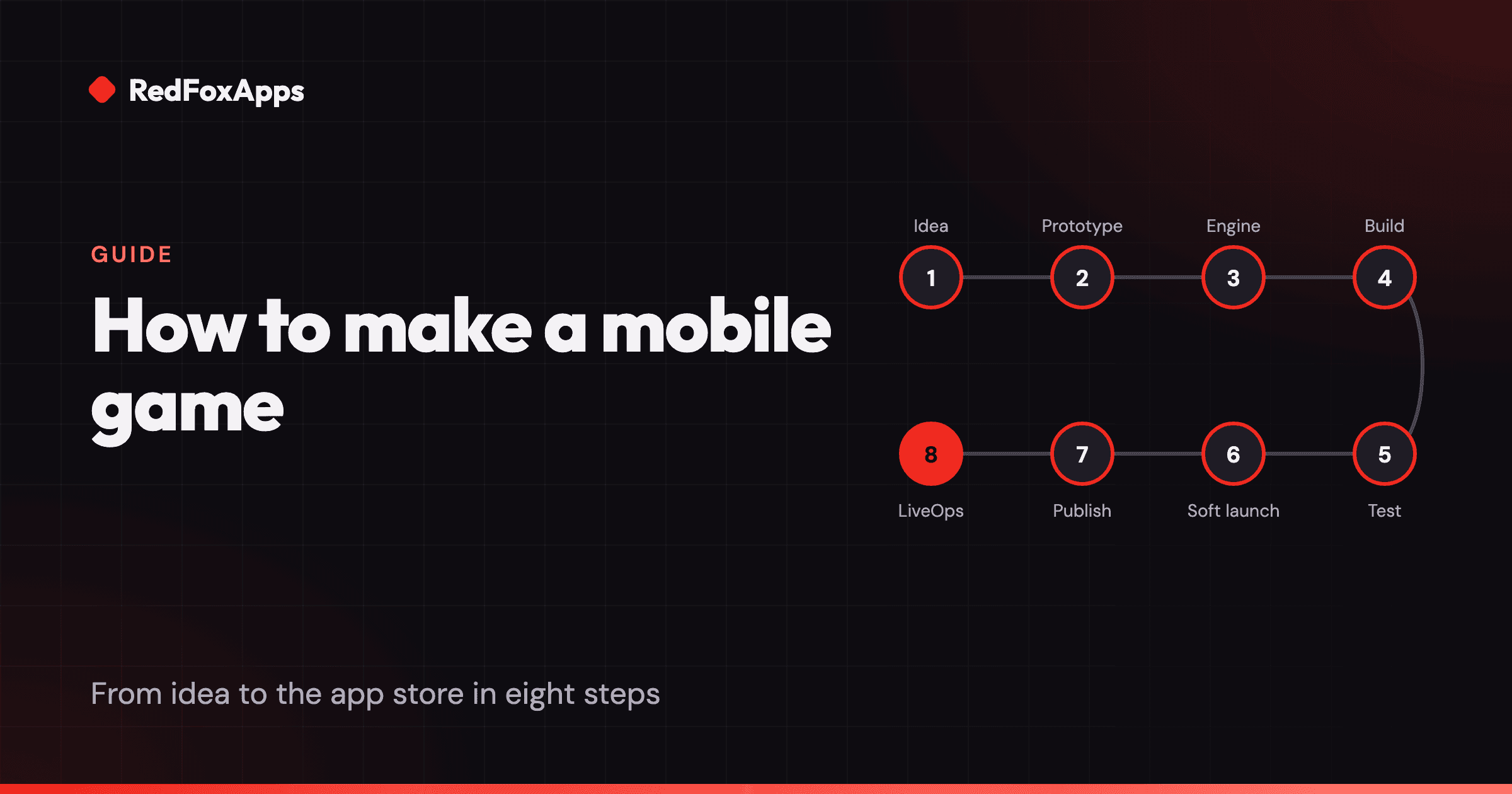
To make a mobile game, pick a small idea, build a rough prototype in a few weeks, choose an engine such as Unity or Godot, produce the full game, test it on real phones, soft launch in a few markets, publish on Google Play and the App Store, then keep it alive with LiveOps.
Making a mobile game takes eight steps: find a small idea, prototype it, choose an engine, build the game, test it on real devices, soft launch, publish, and run it after launch. Most first games fail in step one or two, because the idea is too big or nobody checked that it was fun before building it.
This guide walks through each step, with the decisions that matter and the mistakes we see most often.
Step 1: How do you choose a mobile game idea?
Start small. Your first game should be something one or two people can finish in a few months, not a dream project that needs a team of twenty.
A good mobile game idea has:
- One core action that feels good on a touchscreen. Tap, swipe, drag or tilt. If the main action needs a controller or a keyboard, it will struggle on a phone.
- Short sessions. Most mobile play happens in a few minutes at a time: on a commute, in a queue, before sleep.
- A clear hook in the first ten seconds. Players decide very quickly. They should understand what to do without reading.
- A plan for money. Free with ads, free with in-app purchases, a mix of both, or paid up front. This affects design from the start, so decide early.
Look at the top charts in the genre you like. Play the top ten games for a week. Write down what they all share and what none of them do.
Step 2: Why should you prototype first?
A prototype is a rough, ugly version of the core loop, built in days or weeks, to answer one question: is this fun?
Use grey boxes and placeholder art. Skip menus, sound and polish. Put it on a phone and hand it to five people who have not seen it. Watch them play without explaining anything. If they put it down after thirty seconds, change the idea or the mechanic, not the art.
Kill ideas freely at this stage. A prototype that takes two weeks and fails has saved you months.
Step 3: Which engine should you use for a mobile game?
| Engine | Best for | Cost | Language |
|---|---|---|---|
| Unity | Most commercial 2D and 3D mobile games, especially free-to-play | Free on Personal up to $200,000 revenue and funding a year | C# |
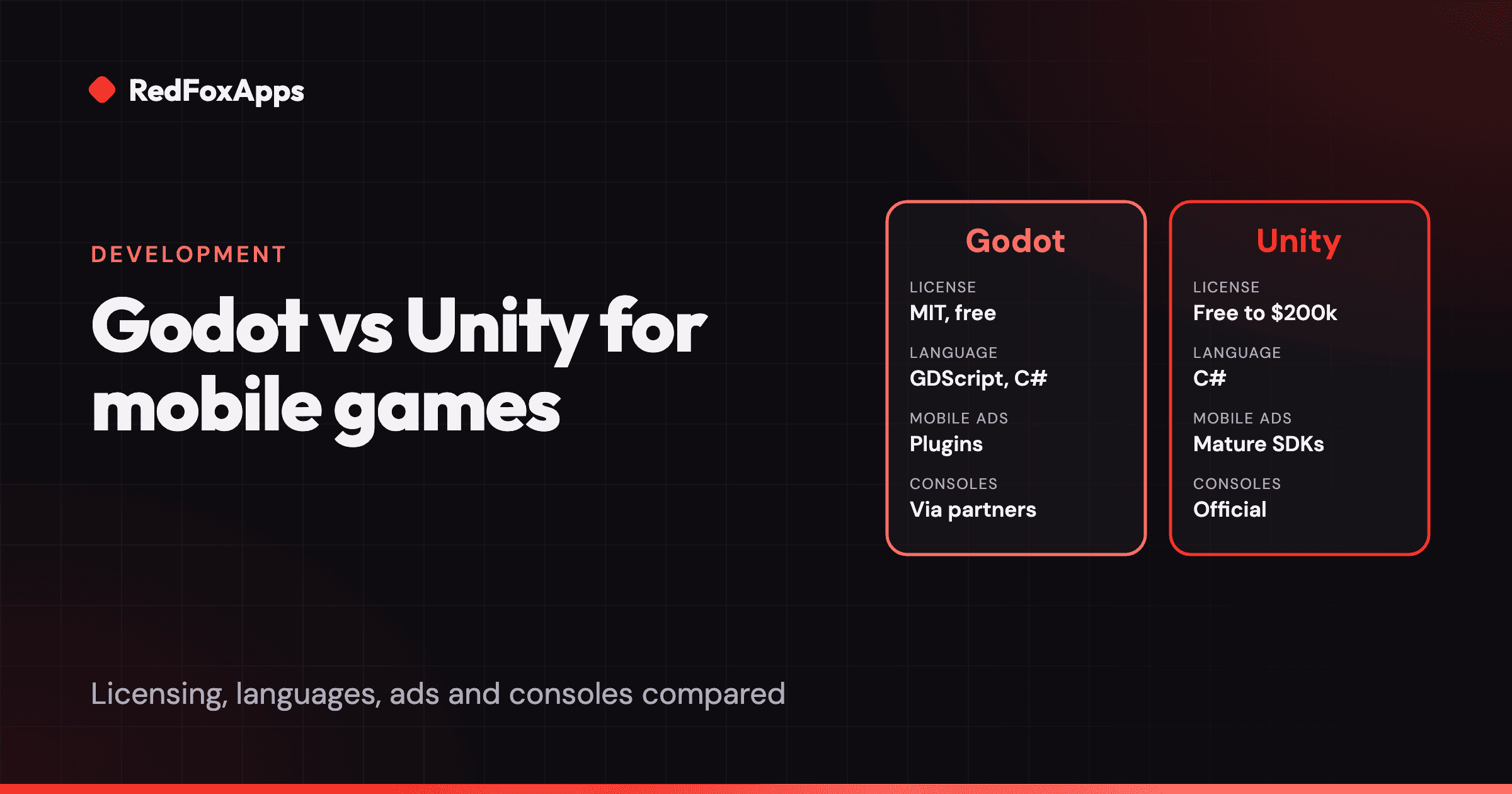
| Godot | 2D and stylised 3D games, small teams, no licence fees | Free, MIT licence | GDScript, C# |
| Unreal Engine | High-end 3D, larger teams | Free to start; royalty terms apply above a revenue threshold | C++, Blueprints |
| GameMaker | 2D games, beginners | Free and paid tiers | GML |
For a free-to-play mobile game, the engine's support for ad, purchase and analytics SDKs matters as much as its rendering. We compare the two most common choices in Godot vs Unity for mobile games. Check each engine's licence page for current terms before you commit.
Step 4: What happens in production?
Production turns the prototype into a game. This is the longest step, and where scope creep does the most damage.
- Write a one-page plan. The core loop, the progression (what players unlock over time), the monetization, and the list of features for version 1. Anything not on the list waits.
- Build the core loop first, then the meta. Get the minute-to-minute play right before adding levels, upgrades and collections.
- Add analytics early. Track tutorial steps, level starts and completions, ad views and purchases from the first internal build. You cannot fix what you cannot see.
- Design for small screens. Big touch targets, readable text, one-handed play where you can, and support for notches and different aspect ratios.
- Plan monetization honestly. Rewarded ads that players choose to watch tend to annoy far less than forced interstitials. Offers should feel like value, not a toll.
If you want a rough idea of what this stage costs, see how much it costs to make an app or mobile game.
Step 5: How do you test a mobile game before launch?
Test on real phones, not just the editor. Include at least one cheap, older Android phone, because that is where performance problems show first.
Both stores have free testing tools:
- Google Play has internal testing for up to 100 testers, plus closed and open testing tracks. If you have a personal developer account created after 13 November 2023, Google requires a closed test with at least 12 testers opted in for at least 14 days before you can publish to production.
- Apple TestFlight lets you invite up to 10,000 external testers, after a short beta review.
Check the basics: no crashes in the first session, load time under a few seconds, ads and purchases working in test mode, and the game still playable when the phone loses its connection.
Step 6: What is a soft launch and do you need one?
A soft launch is a release in a few smaller markets before the global launch. You use real players to measure retention, monetization and stability, and to test the store page.
You do not strictly need one for a small premium game. For a free-to-play game that will rely on paid user acquisition, it is close to essential. It tells you whether players stay (D1, D7 and D30 retention) and whether they are worth more than they cost to acquire. If the numbers are weak, fix the game before you spend on a wider launch.
Step 7: How do you publish a game on Google Play and the App Store?
- Create developer accounts. Google Play charges a one-time US$25 registration fee. Apple's Developer Program has an annual fee.
- Prepare the store listing. Title, subtitle or short description, keywords, icon, screenshots, preview video and description. Each store has strict character limits, which we list in App Store and Google Play metadata limits.
- Complete the forms. Age rating questionnaire, data safety (Google) and privacy details (Apple), plus a privacy policy URL.
- Upload the build. An Android App Bundle to Google Play Console and an iOS build to App Store Connect.
- Submit for review. Read Apple's App Review Guidelines first. Common rejections include crashes, broken links, placeholder content and missing privacy details.
Use our mobile game launch checklist to catch the things people forget on the day. If you want a partner to handle store setup, marketing and user acquisition, read the mobile game publishing guide.
Step 8: What happens after launch?
Launch is the start, not the end. Mobile games that last are run like a service: new levels, timed events, offers, bug fixes and balance changes, all guided by player data. That ongoing work is called LiveOps.
For the first months after launch:
- Fix crashes and the biggest drop-off points first.
- Reply to store reviews. They are free user research.
- Ship small updates often rather than big ones rarely.
- Plan your first event for a few weeks after launch, so returning players find something new.
What are the most common mistakes?
- Starting too big. An open-world RPG as a first project rarely ships.
- Polishing before testing the fun. Art cannot save a dull core loop.
- No analytics. Without data you are guessing why players leave.
- Ignoring the store page. Players judge the icon and first screenshots in seconds.
- Launching globally on day one. A soft launch is cheap insurance.
If you would like help with any of these steps, see our game development services.
Sources
- Set up an open, closed, or internal test (Google Play Console Help)
- App testing requirements for new personal developer accounts (Google Play Console Help)
- TestFlight (Apple Developer)
- App Review Guidelines (Apple Developer)